
Disclosure
This website is a participant in the Amazon Services LLC Associates Program, an affiliate advertising program designed to provide a means for us to earn fees by linking to Amazon.com and affiliated sites.
Yes. A capable OBD2 scanner with TPMS reset functions can silence the warning light, but most basic code readers cannot. The scanner must support TPMS module coding or relearn, not just engine codes.
In my experience, cheap readers only clear engine fault codes, so the tire pressure light comes right back. You need a tool that talks to the TPMS module directly. Otherwise, the system keeps checking for sensors that aren’t there.
Silence the TPMS Warning Light
That flashing TPMS light on your dash gets old fast while you wait for new sensors to arrive. The FOXWELL NT604 Elite reads and clears TPMS codes on most vehicles, so the warning stops nagging you every time you start the car. It also checks the live sensor data, so you know exactly which wheel is the problem.
This is the scanner sitting in my glovebox that finally shut my TPMS light up while I waited on sensors: FOXWELL NT604 Elite OBD2 Car Diagnostic Scanner Tool
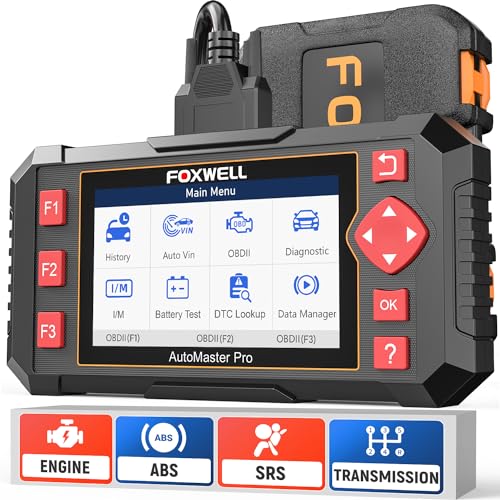
- [Easy to Use—Work Out of the Box] + [FOXWELL 2026 New Version...
- [Affordable] + [Reliable Car Health Monitor] Will you be confused what...
- [4-System Diagnostics + OBDII Functions] FOXWELL NT604 Elite car...
Why Turning Off TPMS Sensors Matters in Real Life
A flashing tire pressure light is more than a small annoyance. It nags at you every time you start the car, and it can hide a real safety problem. In my experience, most drivers just want the light gone until the new sensors arrive.
I learned this the hard way last winter. My daughter’s car had a dead sensor, and the light blinked the whole drive to school. She kept asking if a tire was about to blow, and honestly, I wasn’t sure either.
Why a Constant TPMS Warning Light Wears You Down
That little light trains you to ignore warnings. When it never goes off, you stop checking your tires by hand. Then a genuinely low tire sneaks up on you at the worst moment.
- You second-guess every bump and wobble
- Passengers and kids get nervous on the road
- You stop trusting the dashboard altogether
Why Buying the Wrong Tool Wastes Money
I once bought a cheap code reader that promised the world. It cleared the light for about ten minutes, then it came right back. That was money down the drain.
The lesson stuck with me. A basic engine-code reader can’t talk to the TPMS module, so it can’t switch anything off. You need a tool built for that job, or you’re just guessing.
How to Disable TPMS Sensors Temporarily With an OBD2 Scanner
Here’s the honest truth: the process depends on your car and your scanner. Some vehicles let you turn off the TPMS system through a menu option. Others lock that function away completely.
What Your Scanner Actually Needs to Do
A tool that only reads engine codes won’t touch your tire sensors. You need one that supports TPMS module functions and relearn. Check the box or the app before you buy anything.
- TPMS reset and relearn support
- Access to the body or TPMS module
- Vehicle-specific software updates
The Steps I Follow in My Own Garage
First, I plug the scanner in and let it scan all modules, not just the engine. Then I look for the TPMS or body control menu. If a disable or reset option shows up, I follow the on-screen prompts.
If nothing appears, that’s your answer. The car simply won’t let a scanner switch the system off, and no amount of menu digging will change that.
When Disabling Simply Isn’t an Option
Some cars treat TPMS as a safety system and refuse to disable it. In that case, the light stays until you fit new sensors. I’ve hit this wall more than once, and it’s frustrating every time.
You’re tired of that blinking light and worried it’s hiding a real tire problem. What finally worked for us was picking a scanner built for TPMS jobs, not just engine codes:

- Bi-Directional Control, Quickly Locate Problems: Turn your phone into...
- Flexible Subscription: TopScan Lite includes continued access to core...
- Full System Diagnostics, No Fault Hides: Unlike basic diagnostic tools...
What I Look for When Buying a TPMS-Capable OBD2 Scanner
Buying the right scanner comes down to a few simple checks. You don’t need to understand every spec on the box. You just need to know what your car will actually respond to.
Does It Support TPMS Functions?
This is the first thing you should confirm. The listing or app must mention TPMS reset, relearn, or module access by name. A scanner that only says “read and clear codes” won’t disable your sensors.
For example, I passed on one reader last year because the fine print only covered engine codes. Saved myself a return trip.
Does It Cover Your Exact Vehicle?
TPMS support varies wildly from car to car. A tool that works on a truck may do nothing on a compact sedan. Always check the compatibility list against your make, model, and year before buying.
Can You Update the Software?
Cars change, and sensors change with them. A scanner with free or low-cost updates stays useful for years. One with no update path becomes a paperweight once newer models roll out.
Is the Screen and App Actually Usable?
You’ll be reading menus while standing in your garage. Clear labels and a decent app matter more than fancy extras. If the menus are confusing, you’ll give up before you find the TPMS option.
The Mistake I See People Make With TPMS Sensor Shutoff
The biggest mistake is assuming “clear codes” means “turn off TPMS.” I made this exact error years ago. I cleared the light, felt smug, and then watched it flash back on before I reached the end of my street.
Clearing a code just wipes the warning. The car still checks for sensors every time you start it. If they’re missing or dead, the light returns fast.
That’s the whole trick, and it catches almost everyone.
What should you do instead? Confirm your scanner lists TPMS module functions before you buy it. Then check the compatibility list for your exact vehicle.
If the tool can’t reach the TPMS module, no button combo will save you.
You’re worried that blinking light is hiding a real tire problem, and you don’t want to waste another dollar on the wrong tool. What finally worked for us was choosing a scanner that actually reaches the TPMS module:
the one I wish I’d bought first
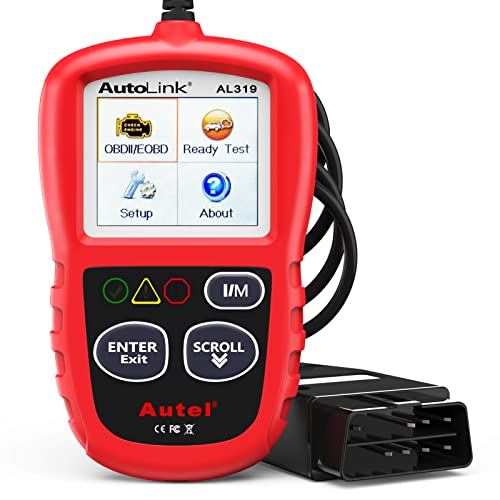
- 【TURN OFF CEL】 This AL319 car scanner diagnostic tool supports...
- 【EXTENSIVE APPLICATION】 Autel AL319 Compatible with 7 languages...
- 【FOR END USER & DIYERS】 This error code reader AL319 is “plug...

Test It Before the Light Comes Back
Here’s the tip that changed how I handle this: test your scanner right after you use it. Turn the car off, wait a minute, and start it again. If the light stays off, the tool actually reached the module.
This simple restart check tells you everything. A scanner that only clears codes will show the light again almost right away. One that talks to the TPMS module keeps it quiet until the next real check.
I do this every time now, even with tools I trust. It takes two minutes and saves me from a false sense of victory. My neighbor skipped this step and drove around for a week thinking he’d fixed it.
One more thing worth knowing: write down the codes before you clear anything. That record helps a shop later if the sensors need real diagnosis. It’s a small habit that pays off.
My Top Picks for Turning Off TPMS Sensors Until New Ones Arrive
TOPDON TopScan Lite OBD2 Bluetooth Diagnostic Scanner — The One I Reach For First
TOPDON TopScan Lite is the scanner I grab when I need full system access from my phone. What I personally love is that it reaches body and TPMS modules, not just engine codes. It fits drivers who want dealer-style functions without a big price jump.
The honest trade-off: it leans on your phone, so a dead battery means no scan.
- Bi-Directional Control, Quickly Locate Problems: Turn your phone into...
- Flexible Subscription: TopScan Lite includes continued access to core...
- Full System Diagnostics, No Fault Hides: Unlike basic diagnostic tools...
VDIAGTOOL VD10 OBD2 Scanner Code Reader Diagnostic Tool — The Simple Standalone Pick
VDIAGTOOL VD10 is a standalone reader that lives in my glovebox for quick checks. I love that it works without a phone or app, so it’s ready the moment a light pops up. It suits anyone who wants simple code reading and clearing without fuss.
The trade-off is real: it handles engine codes well, but deep TPMS module work isn’t its strength.
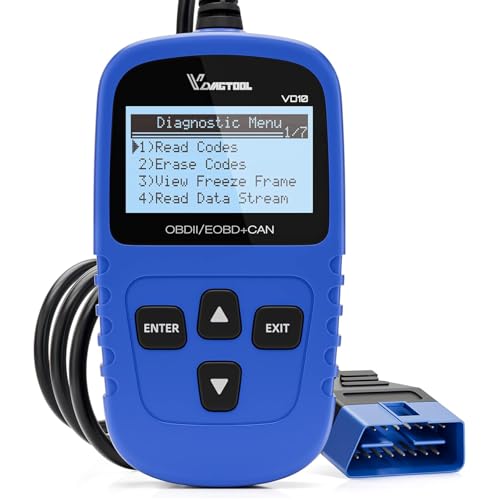
- 【A MUST-HAVE SCANNER TOOL FOR DIYERS】 - VDIAGTOOL VD10 car code...
- 【KEEP ENGINE IN GOOD STATUS】 - VDIAGTOOL check engine code reader...
- 【READ/CLEAR CODES & DTC LOOKUP】- No search online & saving your...
Conclusion
The main point is simple: only a scanner that reaches the TPMS module can quiet that light, and a basic code reader can’t.
So take five minutes right now and check your scanner’s box or app for TPMS reset support before that light blinks at you again tomorrow morning.
Frequently Asked Questions about Can an Obd2 Scanner Turn Off TPMS Sensors Until New Ones Are Installed?
Can a basic OBD2 code reader turn off the TPMS light?
No. A basic code reader can only read and clear engine codes, so it cannot switch off the TPMS system. The tire light usually returns within minutes of clearing it.
The reason is simple: the TPMS sensors live on a separate module. A reader that never talks to that module can’t change what it does. You need a tool with TPMS functions listed.
What is the best OBD2 scanner for turning off TPMS sensors when you need it done fast?
The best pick is one that lists TPMS module access and relearn support before you buy. That single feature decides whether the light stays off or flashes back on.
I check the compatibility list against my exact vehicle first, then confirm the TPMS menu exists. What finally worked for us was a scanner built for full system access, not just engine codes: the one I keep in my own garage.

- 【Diagnose Check Engine Light in Seconds – No Mechanic Needed】The...
- 【Clear & Reset CEL with Confidence】Unlike cheap code readers that...
- 【Sm-og Check Helper – Know Your Pass/Fail Status Before the...
Will the TPMS light come back after I clear it?
Yes, in most cases the light returns within a few starts. The car checks for sensor signals every time you turn the key, and missing sensors trigger the warning again.
Clearing only wipes the stored warning. It doesn’t stop the check itself. That’s why a restart test tells you so much about whether your tool actually worked.
Which OBD2 scanner won’t let me down when the tire light keeps flashing?
A scanner with confirmed TPMS reset and relearn support won’t let you down. Those two functions are the difference between a quiet dash and a light that keeps blinking.
I look for clear menus, vehicle-specific updates, and body module access. What I grabbed for my daughter’s car was a full-system tool that reaches the TPMS module: the one I sent my sister to buy.
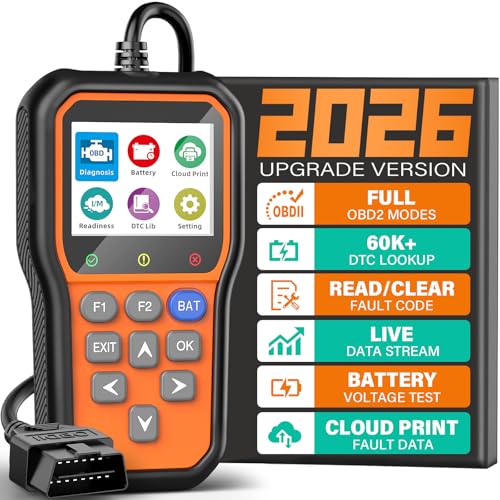
- Your Car's Personal Doctor: Say Goodbye to Check Engine Light...
- One-Click Battery Health Check: Our exclusive one-click BAT battery...
- Live Data & Cloud Printing: This OBD2 scanner diagnostic tool not only...
Is it safe to drive with the TPMS light on?
Yes, it’s safe to drive with the light on, as long as your tires hold proper pressure. The warning means the system can’t read a sensor, not that a tire is failing.
Still, check your tires by hand with a gauge once a week. A dead sensor can hide a slow leak, and that’s the part worth watching.
Do I still need new TPMS sensors eventually?
Yes, you still need new sensors eventually. Turning off the warning is a temporary fix, not a repair, and the system stays blind until sensors are fitted.
New sensors restore the safety net that warns you about low pressure. Until then, keep a gauge in the car and check pressures yourself. It’s a small habit that protects you.