Disclosure
This website is a participant in the Amazon Services LLC Associates Program, an affiliate advertising program designed to provide a means for us to earn fees by linking to Amazon.com and affiliated sites.
A common reason an OBD2 scanner fails on a specific vehicle is that the car uses a non-standard or manufacturer-specific diagnostic protocol the scanner doesn’t support. Older pre-1996 models, some diesel engines, and certain regional imports often fall outside standard OBD2 coverage.
I always check the connector under the dash first, then confirm the scanner supports that vehicle’s protocol before assuming the tool is broken. A loose fuse on the diagnostic port or a dead battery can also block communication.
When Your Scanner Won’t Connect
Some vehicles just refuse to talk to a cheap scanner. Protocol mismatches, older models, and live data gaps leave you staring at a blank screen with a check engine light on. The Innova 5210 covers more OBD2 protocols and reads engine codes on most 1996-and-newer vehicles, so you get real answers instead of dead ends.
What finally worked for me on the stubborn vehicles: Innova 5210 OBD2 Scanner Engine Code Reader Tool
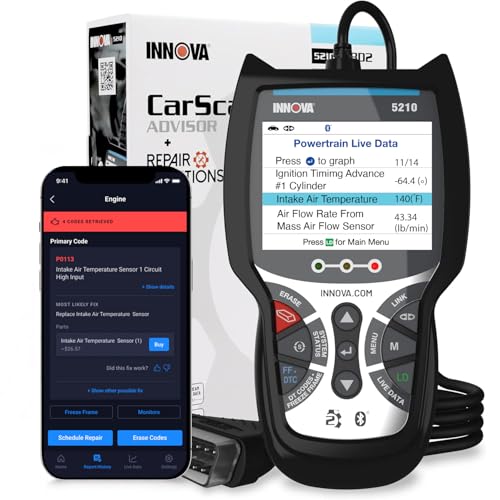
- OBD2 SCANNER & BATTERY TESTER IN ONE – The INNOVA 5210 OBD2 scanner...
- LIVE DATA & REAL-TIME DIAGNOSTICS – Get instant access to OBD2 live...
- ENGINE CODE READER – This automotive diagnostic tool works with most...
Why a Scanner That Won’t Connect Wastes Your Time and Money
A scanner that won’t connect turns a five-minute check into a wasted afternoon. I’ve watched a check engine light sit on my own dash for days because my tool kept saying “link error.” That little message means you can’t read the code, clear it, or know if your car is safe to drive.
The worst part is the guesswork. You start throwing parts at the problem because you’re flying blind. In my experience, that’s how a cheap sensor swap turns into a hundred-dollar mistake you didn’t need.
Why “No Communication” Leaves You Stuck at the Worst Moment
Picture this: your kid is crying in the back seat, the car won’t start right, and your scanner just blinks at you. I’ve been there in a parking lot at night. A tool that won’t talk to your car leaves you stranded when you need answers most.
Here’s what a failed connection actually blocks you from doing:
- Reading the trouble code that explains the warning light
- Clearing a code after a repair so you can confirm the fix
- Checking live data like engine temperature or sensor readings
- Passing an emissions test that needs a clean scan
How Buying the Wrong Scanner Costs You Twice
I once grabbed a bargain scanner that claimed to “work on all cars.” It didn’t work on my older truck at all. I paid for a tool, then paid again for the right one.
That’s the trap. A scanner that only handles basic protocols will fail the moment you need it on a diesel, an older model, or an import. You don’t find out until the light comes on and you’re already frustrated.
How to Check If Your Scanner Supports a Specific Vehicle
Honestly, the fastest fix is to check compatibility before you plug anything in. I keep a short list of things I verify every time a car gives me trouble. It saves a lot of head-scratching.
Match the Scanner Protocol to the Car’s Year and Engine
Most gas cars built after 1996 use standard OBD2, so they usually connect fine. The trouble shows up with older vehicles, diesels, and some imports that speak a different language. Check your car’s year and engine type against the scanner’s supported list first.
Check the Simple Stuff Before Blaming the Tool
Sometimes it’s not the scanner at all. I always run through a few basics before I assume the tool is broken:
- Make sure the ignition is fully on, not just accessory mode
- Check the fuse that powers the diagnostic port under the dash
- Look for bent pins or dirt inside the connector
- Confirm the scanner battery isn’t low
In my experience, a blown port fuse or a weak battery causes more “link error” messages than people realize. It’s a two-minute check that has saved me from buying a new tool more than once.
You know that sinking feeling when the warning light comes on and your scanner just won’t connect? It eats at you, and every day you wait costs you peace of mind. Stop guessing and grab the scanner that finally worked for me on stubborn vehicles:
the one I sent my brother to buy
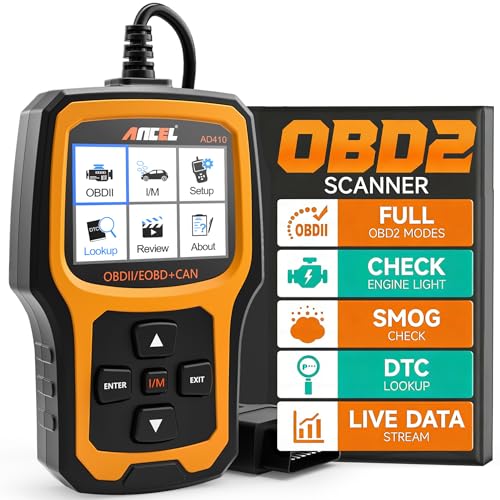
- Understand Your Check Engine Light – The ANCEL AD410 OBD2 scanner...
- Full OBD2 Diagnostics Made Simple – More than a basic engine code...
- Live Date & Real-time Vehicle Insights – View real-time engine data...
What I Look for When Buying an OBD2 Scanner
After a few bad buys, I stopped chasing flashy boxes and started checking a few things that actually matter. Here’s what I look at now.
Protocol Coverage That Matches Your Garage
You want a scanner that lists the protocols and vehicle years it supports, not just a vague “works on all cars” claim. If you own a diesel or an older truck, check that it’s covered before you buy. I learned this the hard way when my bargain tool ignored my own truck.
Live Data, Not Just Codes
Reading a code tells you what the car thinks is wrong. Live data shows you what’s actually happening. I like tools that display things like engine temperature and sensor readings, because that’s how you catch a problem before it grows.
Simple Screen and Easy Updates
A scanner you can’t figure out is a scanner you won’t use. Pick one with a clear screen and buttons that make sense the first time. Also check that updates are easy, since newer cars sometimes need fresh software to connect.
Solid Reviews From Real Owners
I skip the marketing photos and read reviews from people with cars like mine. Look for mentions of your make, year, and engine type. One honest review from a real owner beats a page of specs every time.
The Mistake I See People Make With a Scanner That Won’t Connect
The biggest mistake is blaming the car before checking the tool. I did this for weeks, convinced my truck was the problem. It turned out my scanner simply didn’t support that vehicle’s protocol.
People buy the cheapest scanner, assume it covers everything, then get stuck when it fails. I wish someone had told me earlier: check the supported protocols and vehicle years before you buy, not after. A tool that lists what it handles saves you a lot of grief.
Instead of guessing, match the scanner to your actual cars. Write down your year, engine type, and whether it’s gas or diesel. Then confirm the scanner covers all of them.
That one step would have saved me two returns and a lot of frustration.
You know that knot in your stomach when the warning light comes on and your scanner won’t connect? Every day you wait, the problem could be getting worse. Skip the guesswork and get the scanner that finally worked for me:
what finally worked for my stubborn truck
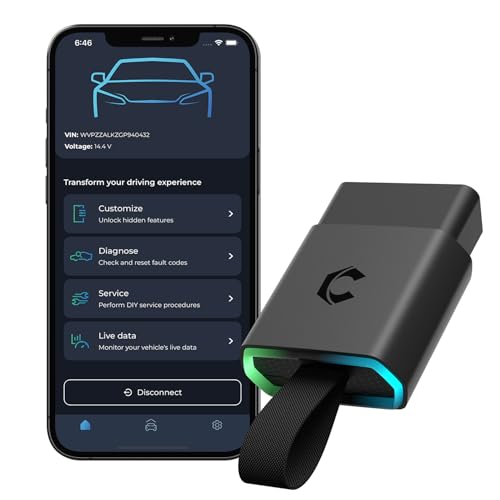
- SUBSCRIPTION REQUIRED for Advanced Features: The Carista EVO Scanner...
- Wide Compatibility: Works with certain Acura, Audi, BMW, Buick...
- The All-in-One Car Tool: Diagnostics, access freeze frame data, unlock...
How to Get Your Scanner Talking to Any Car in Minutes
Here’s the tip that changed everything for me: check the port fuse before you touch anything else. A tiny blown fuse under the dash can make a perfectly good scanner look broken. I spent an hour cursing my tool before I found it.
Find your diagnostic port, usually under the dash near the steering wheel. Then check your car’s fuse box for the one labeled for the data link or cigarette lighter. If it’s blown, swap it out and try again.
That two-dollar fix has saved me from buying a new scanner more than once.
If the fuse is fine, test the scanner on another car you know works. If it connects there, the problem is your vehicle’s protocol, not the tool. That quick swap tells you exactly where to look next.
It’s the fastest way to stop guessing and start fixing.
My Top Picks for When Your OBD2 Scanner Won’t Work on a Specific Vehicle
CGSULIT SC103 OBD2 Scanner Car Code Reader Diagnostic Tool — Simple and Reliable for Everyday Cars
The CGSULIT SC103 is the scanner I reach for when I just need a quick, clear answer. It reads and clears codes fast, and the screen is easy to follow even in bright sun. It’s a perfect fit for a newer gas car and a first-time DIY owner.
The trade-off is that it won’t cover older diesels or odd imports, so check your year first.
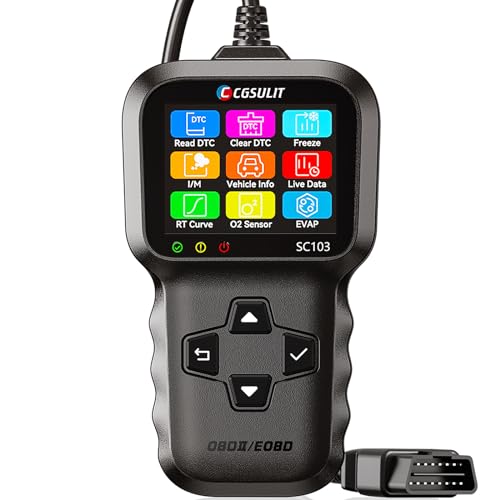
- PROFESSIONAL DIAGNOSTICS MADE SIMPLE — Trusted by Scotty Kilmer, the...
- UNIVERSAL COMPATIBILITY & PLUG-AND-PLAY — This enhanced OBDII code...
- VIBRANT 2.8" TFT COLOR SCREEN — Unlike basic monochrome code...
Innova 5610 OBD2 Scanner Diagnostic Tool Bidirectional — The One I Trust for Stubborn Vehicles
The Innova 5610 is what I recommend when a basic scanner keeps giving you link errors. It handles live data and bidirectional tests, so you can dig into a car that won’t cooperate. It’s the right fit for someone with a mixed garage or a tricky import.
The honest trade-off is the higher price, but it’s worth it if you work on more than one car.

- MAINTAIN PEAK PERFORMANCE AND SAFETY ON THE ROAD - Easily find and fix...
- PRO-LEVEL FUNCTIONALITIES - Use the INNOVA 5610’s Enhanced Data...
- COMMAND WITH BIDIRECTIONAL CONTROLS - The INNOVA 5610 bidirectional...
Conclusion
The single most important thing I learned is that a scanner that won’t connect is usually a protocol mismatch, not a broken tool.
So grab your scanner, walk out to your car, and check that port fuse and your vehicle’s supported protocol right now — it takes five minutes and it might be the reason your scanner suddenly works.
Frequently Asked Questions about Why Does My OBD2 Scanner Not Work on a Specific Vehicle?
Why does my OBD2 scanner say link error on one car but work on another?
A link error means the scanner and the car can’t agree on a communication protocol. The tool works elsewhere because those cars speak a standard language your scanner supports.
The problem car likely uses a different protocol, often because it’s older, a diesel, or a regional import. Check the supported protocol list for both the scanner and the vehicle before assuming the tool is faulty.
Will a cheap OBD2 scanner work on every car?
No, a cheap scanner rarely covers every vehicle. Most budget tools handle only the basic standard protocols found on common gas cars built after 1996.
They often miss diesels, older models, and some imports. If your garage has mixed vehicles, a tool with wider protocol coverage saves you from repeated link errors.
What is the best OBD2 scanner for a car that keeps giving link errors?
The best fix is a scanner with broad protocol coverage and live data, and the Innova 5610 fits that need well. It handles bidirectional tests, so it can talk to stubborn vehicles that basic tools can’t reach.
I recommend it for anyone with a mixed garage or a tricky import that keeps refusing to connect. If you want the one that finally worked for me on problem cars, this is the one I sent my brother to buy.

- [All System Diagnostics, Professional-Level Scanner] - BLCKTEC 460T is...
- [12+ Most Popular Reset Functions] - BLCKTEC 460T OBD2 scanner offers...
- [Real-Time OBD2 and OEM Live Data, Freeze Frame Data] - BLCKTEC 460T...
Which OBD2 scanner won’t let me down when my warning light comes on?
The CGSULIT SC103 is a solid pick for everyday gas cars, reading and clearing codes quickly. It’s simple to use and easy to read, which matters when you’re stressed at the roadside.
It won’t cover older diesels or odd imports, but for a newer car it’s reliable. For a first-time DIY owner, it’s what I grabbed for my own glovebox.
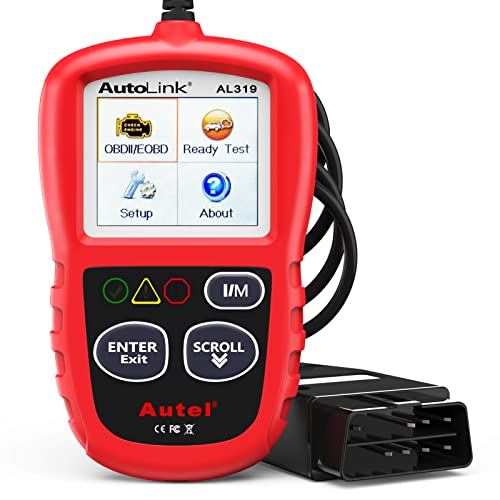
- 【TURN OFF CEL】 This AL319 car scanner diagnostic tool supports...
- 【EXTENSIVE APPLICATION】 Autel AL319 Compatible with 7 languages...
- 【FOR END USER & DIYERS】 This error code reader AL319 is “plug...

Can a blown fuse stop my OBD2 scanner from connecting?
Yes, a blown fuse can block the diagnostic port completely. The port usually shares a fuse with the cigarette lighter or data link circuit.
Check your fuse box for the one labeled for that circuit and swap it if it’s blown. It’s a cheap, two-minute check that has saved me from buying a new scanner more than once.
Do I need a special scanner for diesel or older vehicles?
Yes, diesel and pre-1996 vehicles often need a scanner with extra protocol support. Standard OBD2 tools usually can’t read them at all.
Check the vehicle year and engine type against the scanner’s supported list first. Matching the tool to your actual cars prevents the frustration of a tool that won’t connect.